New · v1.0 for Windows is here

Work well.
Rest well.

Pahinga is a calm desktop companion that nudges you to take breaks, drink water, and move — so long computer sessions stop costing you your shoulders, eyes, and focus.

Free for now (beta) Runs locally No account needed
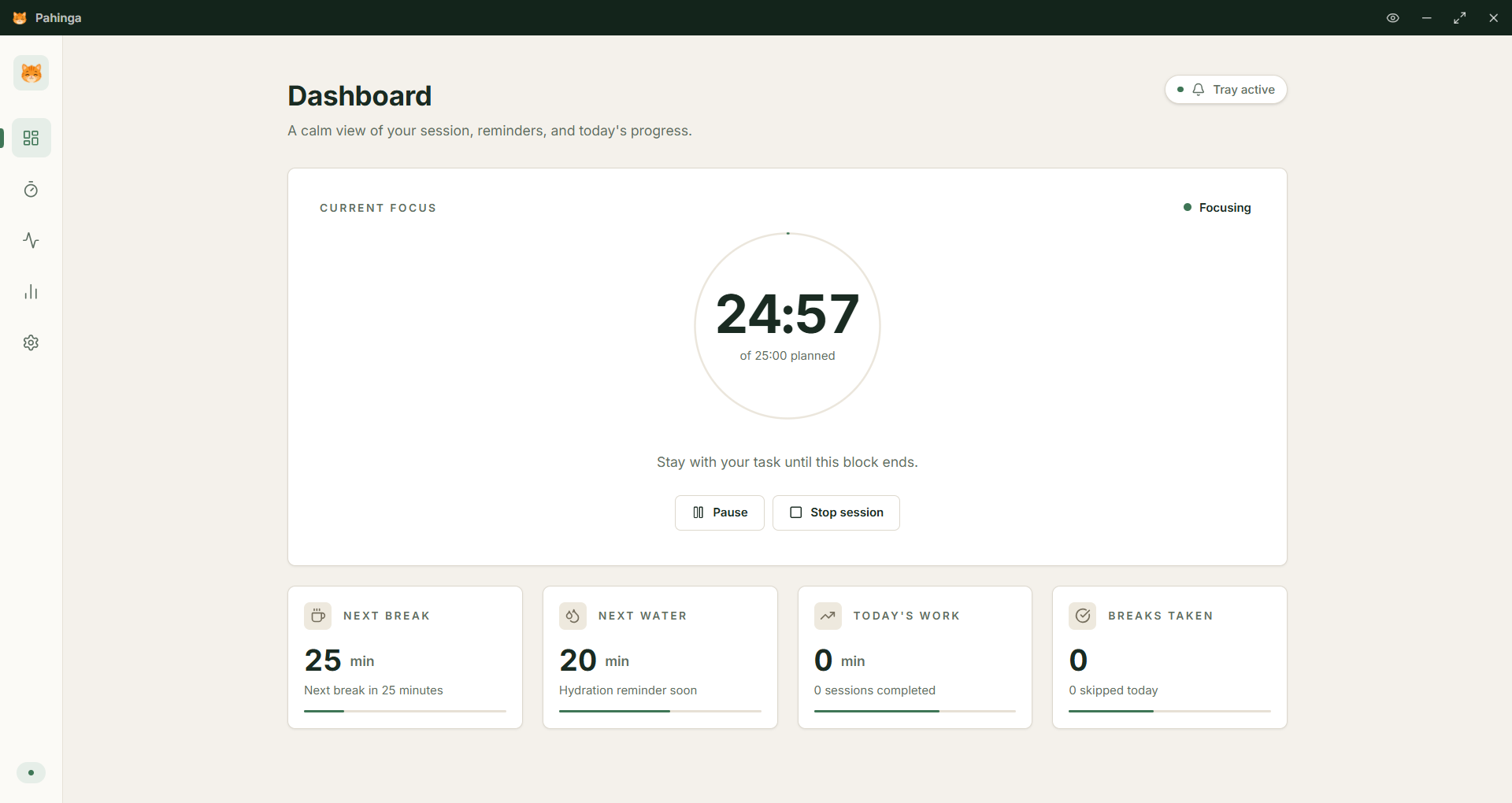
Pahinga dashboard
Focus session
24:57 of 25:00
Sip of water
in 20 minutes
Pahinga cat
25 min
Recommended focus block
20-20-20
Eye-rest rhythm, built in
4 stretches
Neck · Shoulder · Wrist · Eyes
0 accounts
Your data stays on your device
What's inside

Quiet tools for a kinder workday

Pahinga lives in your tray and only speaks up when it matters — gentle nudges, not noisy notifications.

Focus timer

Work in 25-minute blocks with intentional breaks. A breathing dot quietly tracks your session — no anxious countdown.

Hydration nudges

Sip-of-water reminders on your rhythm — every 30, 60, or 90 minutes. Small habit, big difference.

Guided stretches

Quick neck, shoulder, wrist, and 20-20-20 eye routines — each under a minute, with calm step-by-step prompts.

Rest-lock mode

When you need it most, an always-on-top break overlay gently insists. Snooze and emergency exit are always available.

Daily summary

A simple end-of-day reflection: focus time, breaks taken, water sipped, stretches done. Without the streak guilt.

Tray-quiet by default

No popups during meetings or deep work. Pahinga sits in your tray with a steady green dot when all is well.

Inside the app

A calm, uncluttered companion

Five focused screens. Everything else gets out of your way.

Pahinga dashboard

A calm overview

Your current focus block, next break, hydration window, and today's progress — all at a glance.

01 / 06
First three minutes

Set up in three small steps

No accounts, no email, no upsell. Pick your rhythm and start working.

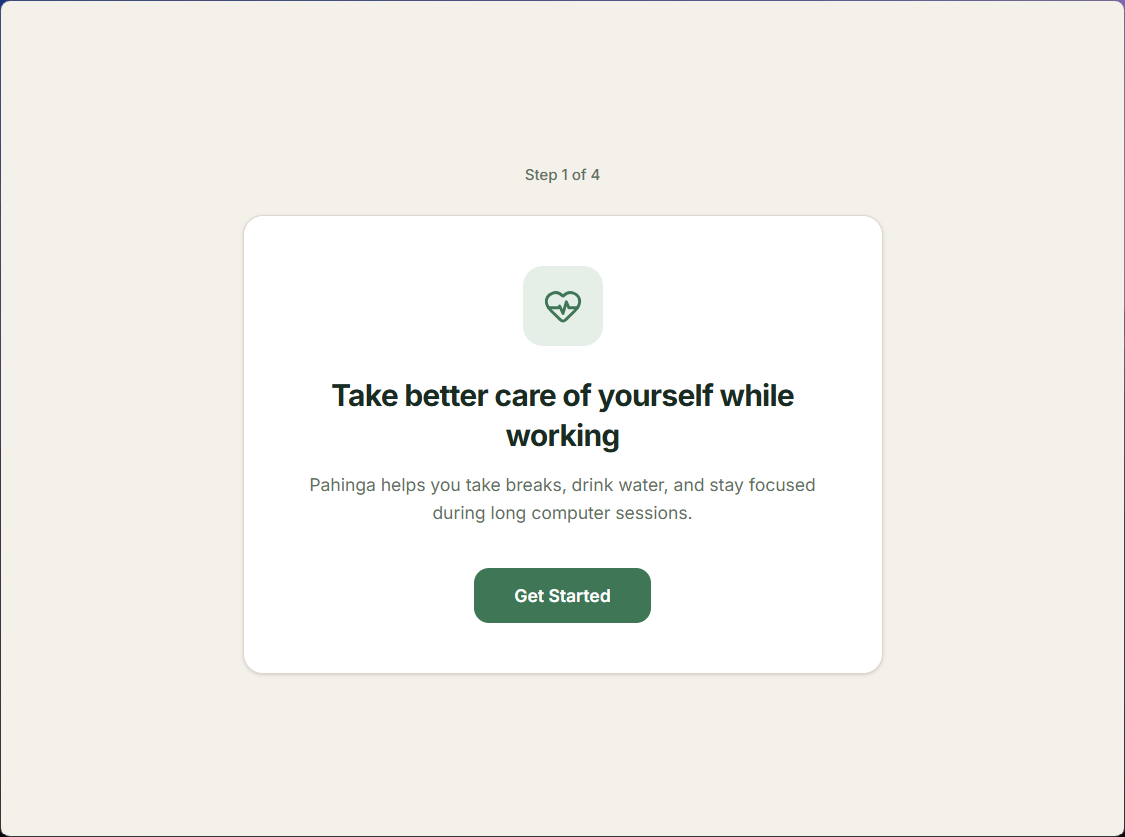
Step 01
Welcome

Welcome

A quick hello — Pahinga helps you take breaks, drink water, and stay focused during long sessions.

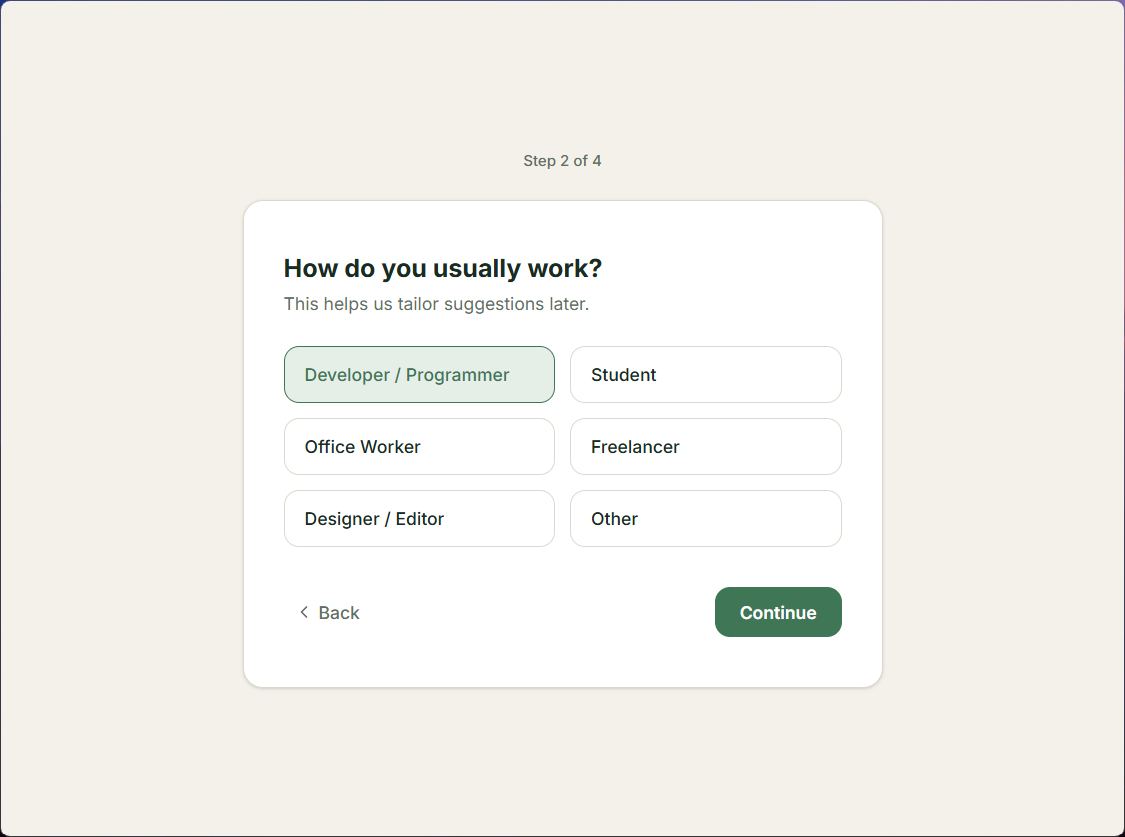
Step 02
How do you usually work

Tell us how you work

Developer, student, designer, freelancer — we tune the suggestions to match your day.

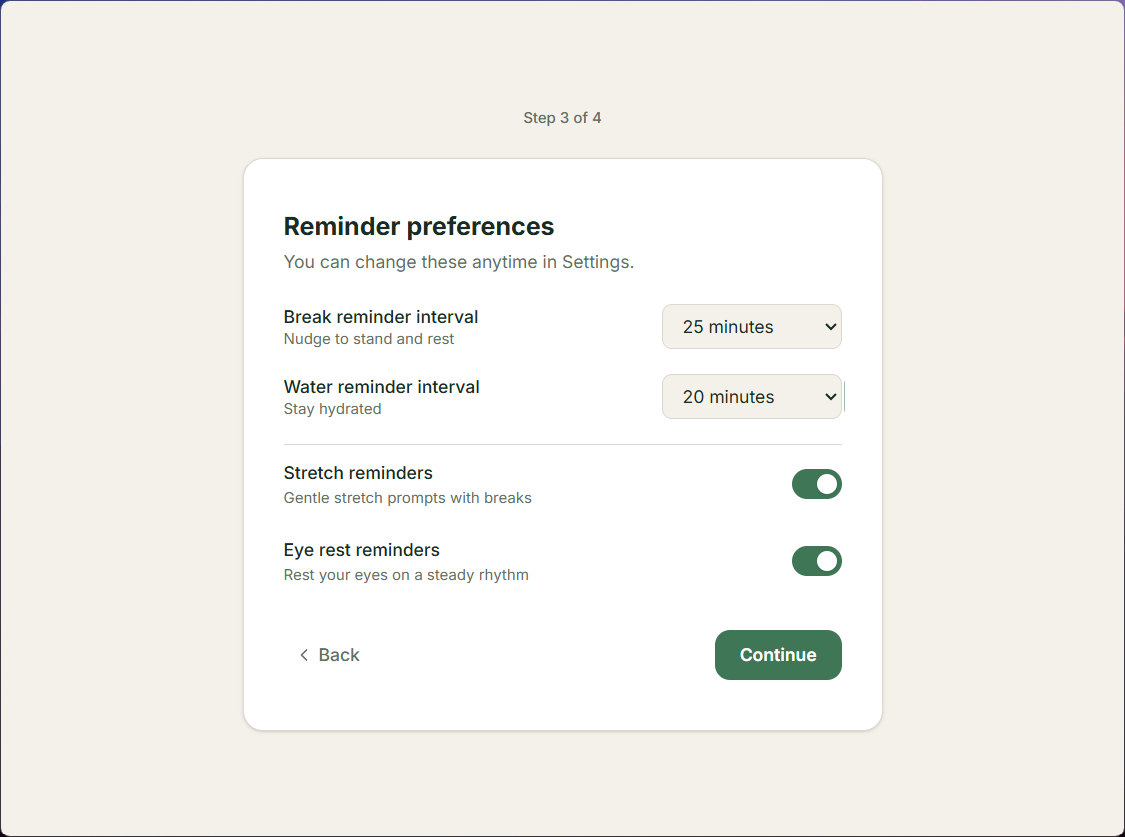
Step 03
Reminder preferences

Pick your rhythm

Choose how often you'd like reminders for breaks, water, stretches, and eye rest. Change anytime.

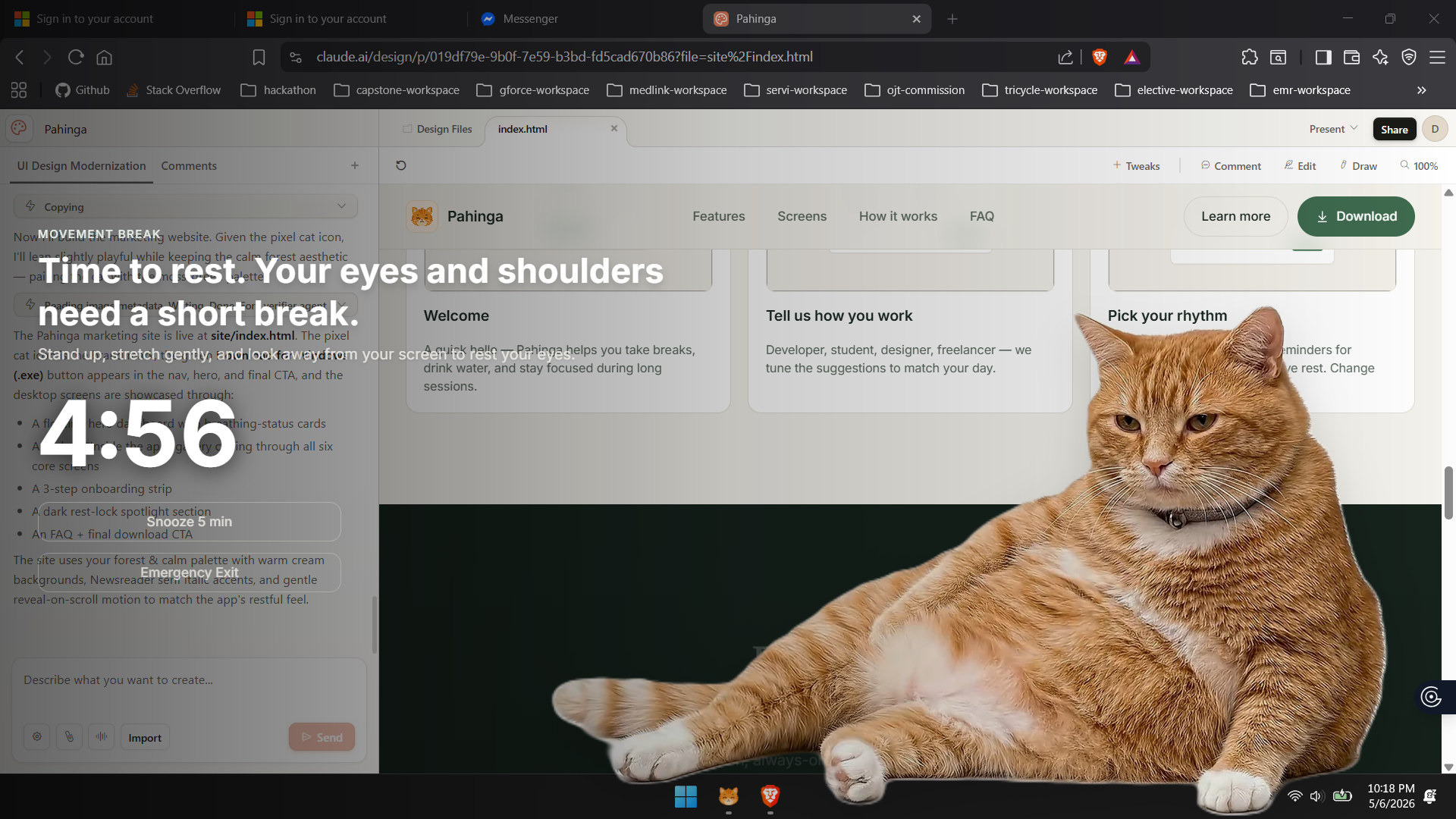
Rest-lock mode

For the days you'd otherwise skip the break

A full-screen, always-on-top overlay that gently insists. With snooze and emergency exit, because life happens.

Rest-lock overlay

Stand. Stretch. Sip.

Three simple cues. The overlay holds the moment so you actually pause, instead of clicking away.

Snooze 5 min

Mid-thought? Snooze without guilt. Pahinga returns when the moment is right.

Emergency exit

An escape hatch is always one click away. Rest is meant to feel like rest, not a cage.

"
Pahinga doesn't shout. It just sits there, like a small, kind cat, reminding you it's time to look up from the screen.
From the team · Manila, PH
Questions

Things you might be wondering

Pahinga is free for now while it's in beta. No accounts, no telemetry, no upsell. It will also be available soon on the Microsoft Store. If you want to support development, a small tip jar is on our GitHub.
Windows is available today (.exe installer). macOS and Linux builds are next on the roadmap.
Nowhere. Everything Pahinga tracks — sessions, breaks, stretches — stays on your machine. There's no server to call home to.
Pahinga respects do-not-disturb modes and lets you snooze instantly. Notifications are gentle by design — no popping windows or audio cues unless you turn them on.
Cats are unmatched at resting. They take long, intentional breaks and seem to be doing fine. We're taking notes.

Your shoulders, eyes, and focus
will thank you.

Download Pahinga and try it for a single afternoon. The first time the gentle nudge arrives, you'll get it.

v1.0.0 · Windows 10/11 · Free for now (beta) · Coming soon to the Microsoft Store